Moving From Ingress to Gateway API: What Changes, What Breaks, and What Finally Gets Easier
16 min read · September 30, 2026
1.Introduction
Every cluster that has lived past its first birthday has The Ingress. You know the one. It started as twelve tidy lines sending / to a service. Now it carries a wall of annotations, and somewhere in the middle sits proxy-buffer-size: 16k, added after an outage nobody on the current team remembers. Nobody will remove it, because nobody knows what happens if they do.
That file isn't a sign of a sloppy team. It's what happens when an API gets asked to do a bigger job than it was designed for. Ingress can say one thing well: this host and this path go to that service. Timeouts, redirects, canaries, CORS, auth, rate limits and backend protocols all had to be smuggled in as annotations, which are just strings. They mean one thing on one controller and nothing on the next, and Kubernetes can't validate a single one of them.
For a long time we put up with it. Then the ground moved. The community Ingress-NGINX controller, the one most of us installed on day one without a second thought, reached the end of the road: best-effort maintenance ran only until March 2026, and after that there are no more releases, bug fixes or security patches, though existing installs keep working. That last part is what makes it dangerous. Nothing breaks. The component at the edge of your cluster just quietly stops getting fixed. The Steering and Security Response committees described it as critical infrastructure for about half of cloud native environments, and said plainly that none of the alternatives is a drop-in replacement. kuberneteskubernetes
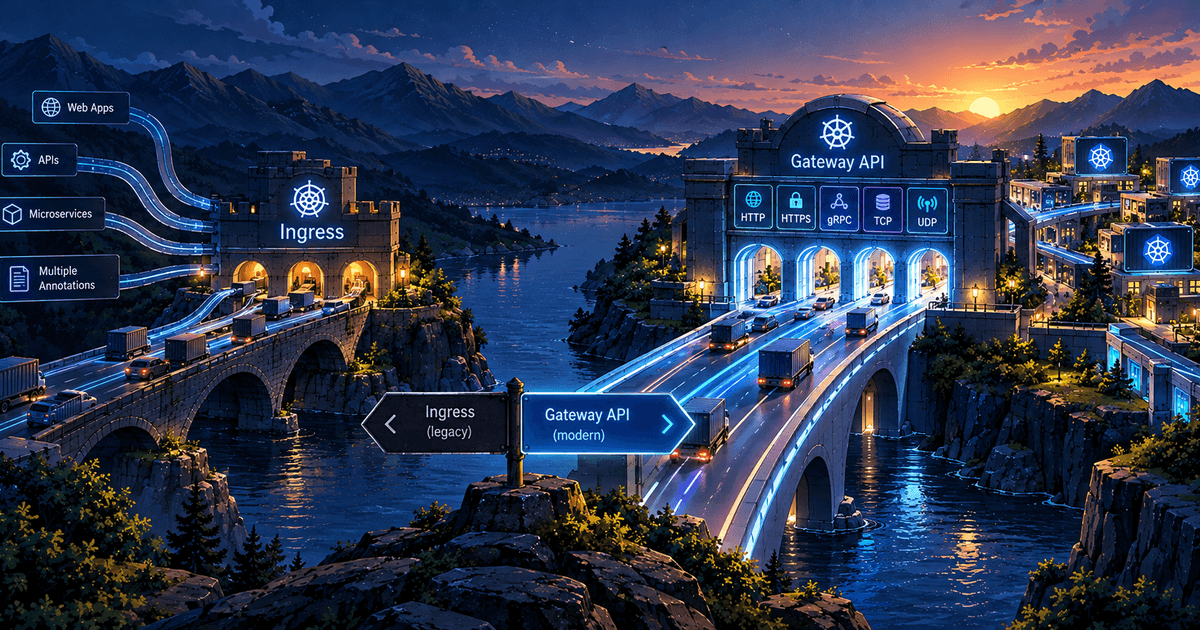
Kubernetes' answer is Gateway API. I've spent a while in the docs, the spec and a lot of YAML, and this post is the walk I'd want handed to me before starting. First the model, because everything else falls out of it. Then the features one at a time, each with the situation where you'd reach for it. Then the migration itself: the order I'd do it in, the tooling, and the places where it bites.
2.Body
Three objects, three owners
The first thing you notice about Gateway API is that it refuses to be one object. Ingress mashed three concerns together: which load balancer exists, which ports and certificates it exposes, and where each URL goes. Gateway API pulls them apart.
GatewayClass says what kind of data plane you're dealing with: Envoy, NGINX, a cloud load balancer, whatever you installed. It works like a StorageClass. You rarely write one; your implementation ships it.
Gateway is the actual front door. It's an instance of a class, with listeners that define ports, protocols, hostnames and TLS settings. This is the object that gets an IP address.
Routes (HTTPRoute, GRPCRoute, TLSRoute, TCPRoute, UDPRoute) are the rules. They live in the application's own namespace, right next to the Service they point at, and attach to a Gateway through parentRefs.
This split matters because it matches how organisations work. A platform team owns the Gateway: certificates, ports, and which namespaces are allowed to attach. Application teams own their routes: their paths, their canary, their rewrite. Under Ingress, either the app team got edit rights on one giant shared object, or the platform team became a ticket queue for one-line path changes. Both are miserable. Here, plain RBAC does the job, because the objects are different kinds living in different namespaces.

A first Gateway and a first route
Here's a Gateway owned by the platform team, in an infra namespace:
apiVersion: gateway.networking.k8s.io/v1
kind: Gateway
metadata:
  name: public-edge
  namespace: infra
spec:
  gatewayClassName: shared-edge
  listeners:
    - name: http
      protocol: HTTP
      port: 80
      allowedRoutes:
        namespaces:
          from: All
    - name: https
      protocol: HTTPS
      port: 443
      hostname: "*.example.com"
      tls:
        mode: Terminate
        certificateRefs:
          - name: wildcard-example-com
      allowedRoutes:
        namespaces:
          from: Selector
          selector:
            matchLabels:
              edge-access: "true"
Notice allowedRoutes. The platform team decides who may attach to which listener. On the HTTPS listener, only namespaces carrying a particular label can bind routes. Ingress had no such concept; if you could create an Ingress, you could claim a hostname.
And here is a team's route, living in the shop namespace:
apiVersion: gateway.networking.k8s.io/v1
kind: HTTPRoute
metadata:
  name: storefront
  namespace: shop
spec:
  parentRefs:
    - name: public-edge
      namespace: infra
      sectionName: https
  hostnames:
    - shop.example.com
  rules:
    - backendRefs:
        - name: web
          port: 3000
The other quiet upgrade is status. When an Ingress is wrong, it mostly stays silent. Here, the route reports whether the Gateway accepted it (Accepted) and whether every backend it names actually resolved (ResolvedRefs), while the Gateway reports Programmed once the data plane really has the configuration. Running kubectl describe httproute storefront -n shop will usually tell you, in words, what you got wrong. After years of tailing controller logs to find out why a path 404s, that alone justifies some of the effort.
Matching: more than host and path
Ingress matches on host and path. HTTPRoute also matches on headers, query parameters and HTTP method, all of them typed fields you can validate.
A common use: send beta testers to a new build without touching the main flow.
rules:
  - matches:
      - path:
          type: PathPrefix
          value: /api
        headers:
          - name: x-beta
            value: "true"
    backendRefs:
      - name: api-beta
        port: 8080
  - matches:
      - path:
          type: PathPrefix
          value: /api
    backendRefs:
      - name: api
        port: 8080
  - backendRefs:
      - name: web
        port: 3000
You might wonder what happens when a request could match several rules. Under Ingress, that depended on your controller and, honestly, on luck. Gateway API writes the answer into the spec: exact path beats prefix, a longer prefix beats a shorter one, then method, then the rule with more header matches, then more query matches. If that still ties, the oldest route wins. In the example above, the beta rule wins on header count, regardless of the order I wrote it in. Behaviour you used to discover in production is now documented and portable.
Splitting traffic without a second object
Canary releases are where the old model looked most awkward. With Ingress-NGINX you created a second Ingress, marked it with canary: "true", added a weight annotation, and hoped everyone remembered the two objects were a pair.
In Gateway API, weights are a native part of the route:
rules:
  - backendRefs:
      - name: checkout-v1
        port: 8080
        weight: 90
      - name: checkout-v2
        port: 8080
        weight: 10
That's the entire canary. To promote, edit two numbers. To roll back, edit them again. Because it's just YAML, it fits neatly into GitOps: a progressive rollout becomes a series of small pull requests, each one reviewable.
This isn't only for releases. Splitting traffic between two regions' worth of backends, or between a legacy service and its replacement during a rewrite, is the same primitive. I'd argue it's the most useful thing to learn first, because it's also how you'll migrate.

Filters: redirects, rewrites, headers and mirrors
Things that used to be annotations are now filters, attached to a rule and typed like everything else.
The one every cluster needs is the HTTP-to-HTTPS redirect, attached to the port 80 listener:
apiVersion: gateway.networking.k8s.io/v1
kind: HTTPRoute
metadata:
  name: https-redirect
  namespace: infra
spec:
  parentRefs:
    - name: public-edge
      sectionName: http
  rules:
    - filters:
        - type: RequestRedirect
          requestRedirect:
            scheme: https
            statusCode: 301
Then there's the rewrite. Your frontend calls /api/orders, but the orders service only knows /orders. Strip the prefix:
rules:
  - matches:
      - path:
          type: PathPrefix
          value: /api
    filters:
      - type: URLRewrite
        urlRewrite:
          path:
            type: ReplacePrefixMatch
            replacePrefixMatch: /
    backendRefs:
      - name: orders
        port: 8080
Header modifiers can add, set or remove headers on the request or the response. That covers injecting a tenant ID upstream, or stripping a Server header on the way out.
My favourite is RequestMirror, which copies live traffic to a second backend and throws the response away:
filters:
  - type: RequestMirror
    requestMirror:
      backendRef:
        name: checkout-v2
        port: 8080
If you've ever been nervous about a rewrite going live, this is the gentlest way to test one. Real requests, real shapes, real weirdness, zero user impact. You watch the new service's logs and error rate, and decide whether it deserves a 1% canary.
CORS deserves a mention too. It used to be an annotation whose behaviour differed between controllers. As of v1.5, the HTTPRoute CORS filter moved into the Standard channel, along with ListenerSet, TLSRoute, client certificate validation, gateway certificate selection for TLS origination and ReferenceGrant. If your frontend team keeps asking why the preflight fails, you now have one place to look.
Timeouts
Routes can carry timeouts directly:
rules:
  - timeouts:
      request: 10s
      backendRequest: 5s
    backendRefs:
      - name: reports
        port: 8080
request covers the whole exchange from the client's side; backendRequest covers a single attempt to the backend. Timeouts are also where migrations get subtly wrong, so I'll come back to them further down.
TLS in every direction
TLS in Ingress meant one thing: a tls: block pointing at a Secret. Gateway API treats it as a set of separate decisions, which is closer to how it works.
Terminating at the edge. This is the certificateRefs you saw on the listener. With cert-manager, you can have certificates issued for your Gateway listeners once you enable its Gateway API support, so a new hostname doesn't need a hand-made Secret.
Passthrough. Sometimes the gateway shouldn't see the traffic at all, because compliance says it stays encrypted end to end, or the backend has to authenticate the client itself. A TLSRoute on a listener in Passthrough mode routes purely on the SNI hostname and forwards the encrypted stream untouched. TLSRoute is Standard as of v1.5.
Re-encrypting to the backend. Terminating at the edge and speaking plain HTTP inside the cluster is fine until an auditor asks about it. BackendTLSPolicy tells the Gateway to open a TLS connection to the Service and validate its certificate against a CA you name. It's GA, alongside GatewayClass, Gateway, HTTPRoute and GRPCRoute, as the project's own README lists. go
Verifying clients. For mutual TLS, the Gateway can validate client certificates against a trusted CA, configured globally or per port. Anyone who used the auth-tls-* annotations will recognise the use case: partner APIs, internal admin surfaces, anything where a certificate is the credential. It's Standard as of v1.5.
Sharing a Gateway without sharing the blast radius
Cross-namespace references are where Gateway API is at its most opinionated, and it's worth understanding, because it's what makes multi-team clusters safe.
By default, a reference across namespaces is refused. If the platform team keeps the wildcard certificate in a certs namespace, the Gateway in infra can't read it until someone in certs says so:
apiVersion: gateway.networking.k8s.io/v1
kind: ReferenceGrant
metadata:
  name: allow-edge-to-read-cert
  namespace: certs
spec:
  from:
    - group: gateway.networking.k8s.io
      kind: Gateway
      namespace: infra
  to:
    - group: ""
      kind: Secret
Think of it as a handshake. The namespace being referenced has to consent. The same mechanism lets a route in one namespace point at a Service in another, but only when the owner of that Service has agreed. ReferenceGrant graduated to Standard in v1.5, so you can rely on it.
ListenerSet solves the opposite problem. A shared Gateway with dozens of listeners becomes a bottleneck, because every team that needs a new hostname has to edit the platform team's object. A ListenerSet lets teams define their own listeners in their own namespaces and have them merged onto the Gateway, with the Gateway owner still controlling what's allowed. Also Standard as of v1.5.

Beyond HTTP
Ingress was an HTTP-only idea, and anyone who needed gRPC, raw TCP or SNI routing ended up in annotations or an entirely different mechanism. Gateway API just has more route types.
gRPC. GRPCRoute matches on service and method names instead of pretending gRPC is a URL path:
apiVersion: gateway.networking.k8s.io/v1
kind: GRPCRoute
metadata:
  name: inventory
spec:
  parentRefs:
    - name: public-edge
      namespace: infra
      sectionName: https
  hostnames:
    - grpc.example.com
  rules:
    - matches:
        - method:
            service: inventory.v1.Stock
            method: Reserve
      backendRefs:
        - name: stock-writer
          port: 9000
    - backendRefs:
        - name: stock-reader
          port: 9000
Here, writes go to one deployment and everything else to another, decided by RPC method. That kind of read/write split is awkward to express as paths.
TCP and UDP. The newest addition: in Gateway API v1.6, TCPRoute and UDPRoute graduated to the Standard channel under the v1 API, and new experimental resources now live in a separate gateway.networking.x-k8s.io group with X-prefixed names. In practice this means databases, MQTT brokers, game servers and DNS-style workloads can be exposed through the same Gateway machinery as your web traffic instead of a pile of NodePorts and one-off LoadBalancer Services. If you have older v1alpha2 TCPRoutes lying around, plan to move them to v1. itknowledgelab
That separation of experimental from standard is, for me, one of the better design decisions in the project. It gives you a rule you can put in a review checklist: manifests in gateway.networking.k8s.io are portable and stable; anything under x-k8s.io is opt-in and may change.

What annotations did that has no standard home
This is the honest part. Gateway API is not a superset of everything Ingress-NGINX could do. It was designed to standardise what's portable, and some things aren't. Here is roughly how common annotations map:
Ingress-NGINX annotation | Gateway API equivalent |
|---|---|
|
|
|
|
| Weighted |
| Header match rule |
|
|
| Rule |
|
|
|
|
| Client certificate validation on the Gateway |
| Implementation-specific policy |
| Implementation-specific policy or experimental features |
| Nothing. On purpose. |
The last row deserves a moment. Snippets let you paste raw NGINX configuration into an Ingress, which is exactly why they were a security headache and a large part of why the controller became hard to maintain. Gateway API has no equivalent, and it won't grow one. If you rely on snippets, you'll have to work out what each one was really for and find a typed way to express it.
For the middle rows (rate limiting, IP allow-lists, body size limits) each implementation ships its own policy resources, attached to a Gateway or route. That's a real trade-off. The standard gives you portability for routing, while these operational knobs still tie you to your chosen controller, just via proper CRDs instead of strings. It's an improvement, but don't pretend it's full portability.
The migration
Now the part everyone actually came for. I'd break it into stages, and most of the safety comes from not skipping the boring ones.
Inventory first
Before touching anything, list every Ingress in the cluster and every annotation on it. Group them: things with a clean Gateway API equivalent, things needing an implementation-specific policy, and things that are snippets. The third group is your risk register. A cluster with forty Ingresses and no snippets is a weekend project. A cluster with a dozen configuration-snippet blocks is a project that needs an owner and a calendar.
Choose the implementation deliberately
Gateway API is a specification; something has to implement it. Envoy-based controllers, NGINX-based ones, HAProxy, Traefik, Istio and the cloud providers' own gateways all exist, and they differ in which Gateway API version they support and which optional features they've implemented. Check their conformance reports rather than their marketing pages. And before rollout, verify that the controller you choose supports the specific resources you need. Upstream stability doesn't guarantee your controller has caught up.
Install the CRDs
Unlike Ingress, Gateway API's CRDs don't ship inside Kubernetes. You install them, usually from the Standard channel unless you need something experimental. One upgrade trap to know about: if you install v1.5 Standard over earlier experimental CRDs, any existing experimental TLSRoutes stored under the alpha versions become unusable, so you have to migrate them to v1 or keep using the Experimental channel. Read the release notes before upgrading CRDs, every time. kubernetes
Let ingress2gateway do the boring part
The Kubernetes project ships a migration assistant for exactly this. Ingress2Gateway 1.0, announced on March 20, 2026, translates Ingress resources and implementation-specific annotations into Gateway API, supports over 30 common Ingress-NGINX annotations, and warns you about configuration it can't translate. Run it against your cluster or your manifests, and read its output the way you'd read a code review, especially the warnings. It's an assistant, not an oracle. A generated file that applies cleanly still deserves a human who asks, "is this really the behaviour we had?" kubernetes
Run both side by side
This is the step that makes the rest calm. Ingress-NGINX and your new Gateway can happily coexist, each with its own load balancer address. Deploy the Gateway and routes, then test the new path without any public traffic: curl --resolve shop.example.com:443:<new-gateway-ip> https://shop.example.com/ sends a request to the new address while still presenting the right hostname. Run your smoke tests, your load tests and your ugliest real-world requests against it. Nobody outside the team notices.
Cut over slowly
Lower your DNS TTL a day or two ahead. Then shift traffic gradually using weighted DNS records: 5% to the new address, watch error rates and latency, then 25%, then 50%, then everything. Keep the old controller running until traffic has drained and you've been quiet for a comfortable stretch. Rollback is one DNS change. Only when you're sure do you delete the old Ingresses and uninstall the controller.
Where it bites
Timeouts. They're rarely one-to-one. The tool itself warns that Ingress-NGINX only supports TCP-level timeouts and that its Gateway API timeout is a best-effort translation you should verify. A 60-second timeout that behaved one way before may behave differently now. Test your slow endpoints on purpose. kubernetes
Paths. Prefix matching, trailing slashes and regular expressions all have subtle differences. Regex path support in particular varies by implementation. Anything you matched with use-regex deserves a dedicated test.
Defaults nobody wrote down. Body size limits, buffer sizes, keep-alive behaviour and WebSocket handling were all tuned, often invisibly, in your old controller. Your new one has its own defaults. Go hunting for the outage that produced proxy-buffer-size: 16k before it happens a second time.
Load balancers and cost. Each Gateway typically provisions its own load balancer. That's fine, and often better, but count them before the invoice does it for you.
Certificates. If you rely on cert-manager, confirm Gateway API support is switched on and that the certificate ends up where the listener expects it.

3.Conclusion
It's tempting to describe Gateway API as "Ingress, but better", and that undersells what changed. Ingress was a single object trying to be an architecture. Gateway API is an architecture, with the pieces separated so different people can own them: the platform team owns the door and the certificates, application teams own their routes, and the spec itself decides who wins a conflict. Canaries, mirrors, rewrites, mTLS, gRPC and raw TCP stop being folklore in an annotation and become fields you can read, review and validate.
It also isn't magic. Rate limiting and authentication still belong to your implementation. Snippets are gone for good. Your defaults will differ from what you're used to. And if your cluster has one host, three paths and no annotations, a maintained Ingress controller will keep serving you fine, since the Ingress API isn't going anywhere. But if you were on Ingress-NGINX, you have to move something anyway. It makes little sense to spend that effort landing on an API that's frozen when the project is investing in the other one.
So start small. Inventory your annotations, install the CRDs in a test cluster, convert one low-stakes service, and run it beside the old path until you trust it. Then do the next one. Migrations like this don't fail because the new thing is hard. They fail because someone tried to move everything in one afternoon.