NotesIAM
IAM
Understand the fundamentals of AWS Identity and Access Management (IAM), including users, roles, policies, MFA, permission boundaries, and how AWS securely controls access to resources.
Updated Sep 26, 2026
Pinch or scroll to zoom (50%–800%) · drag when zoomed in
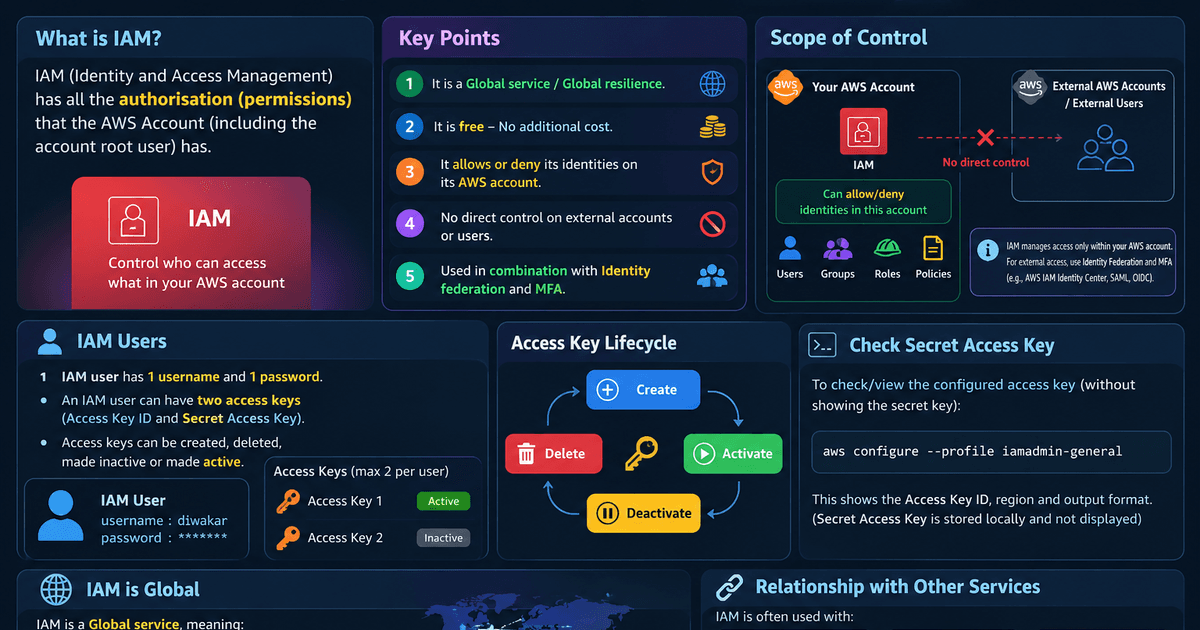
AWS IAM Quick Notes
Core Characteristics
- Cost: Completely free (no additional charge).
- Scope: Global service with global resilience (not tied to a Region).
- Default: All access is denied except for the account root user.
- Control boundary: ALLOW or DENY identities inside this AWS account. No direct control over external accounts or external users.
- Best practices: Prefer IAM roles + federation + MFA over long-lived access keys.
Account Root User
- What it is: The email/password identity created with the account — unrestricted master key.
- Limits: Root power cannot be narrowed with ordinary IAM policies (SCPs in Organizations can still fence the account).
- Hardening: Strong password + MFA. Do not create root access keys. Day-to-day work = IAM users/roles only.
MFA (Multi-Factor Authentication)
- Something you know: Username/password.
- Something you have: MFA device that shows a rotating code.
- Rule: You send the code, not the secret key. The secret stays in the authenticator.
IAM Users & Credentials
- Console: 1 IAM user =
1 username+1 password. - Access keys: Maximum of two access keys per user.
- Lifecycle: Create, delete, make inactive, or make active.
- CLI:
aws configure --profile iamadmin-general
Groups
- What they are: Containers for users — not true principals.
- Cannot: Be referenced as
Principalin a policy; no nesting of groups. - Use: Attach managed/inline policies so members inherit permissions.
Policies — Evaluation
- Order that wins: Explicit DENY > Explicit ALLOW > Default deny (implicit).
- Managed policies: Reusable across identities.
- Inline policies: Embedded on one user/group/role — lives and dies with that identity.
- S3 ARNs: Bucket action →
arn:aws:s3:::mybucket. Object action →arn:aws:s3:::mybucket/*.
Permissions Boundaries
- What: Maximum permissions an identity can ever have.
- Effective access: Identity policies ∩ boundary (∩ SCPs in Organizations).
- Attach to: Users/roles — not IAM groups.
- Use case: Let developers attach managed policies without escalating to
AdministratorAccess.
IAM Roles & STS
- Model: Assume a role → temporary credentials via STS (
sts:AssumeRole). - Trust policy: Who may assume the role.
- Permissions policy: What the role can do after assume.
- Use when: EC2/Lambda calling AWS APIs, cross-account access, federation, break-glass elevation.
- Cross-account: Role in the resource account; trust the caller account. Do not share long-lived user keys.
Condition Keys (exam traps)
aws:SourceIp: IP of the caller (where the API call comes from) — not the EC2 instance’s public/private/EIP.aws:RequestedRegion: Limits which Region the resource action targets — not “API must be invoked from that Region.”